
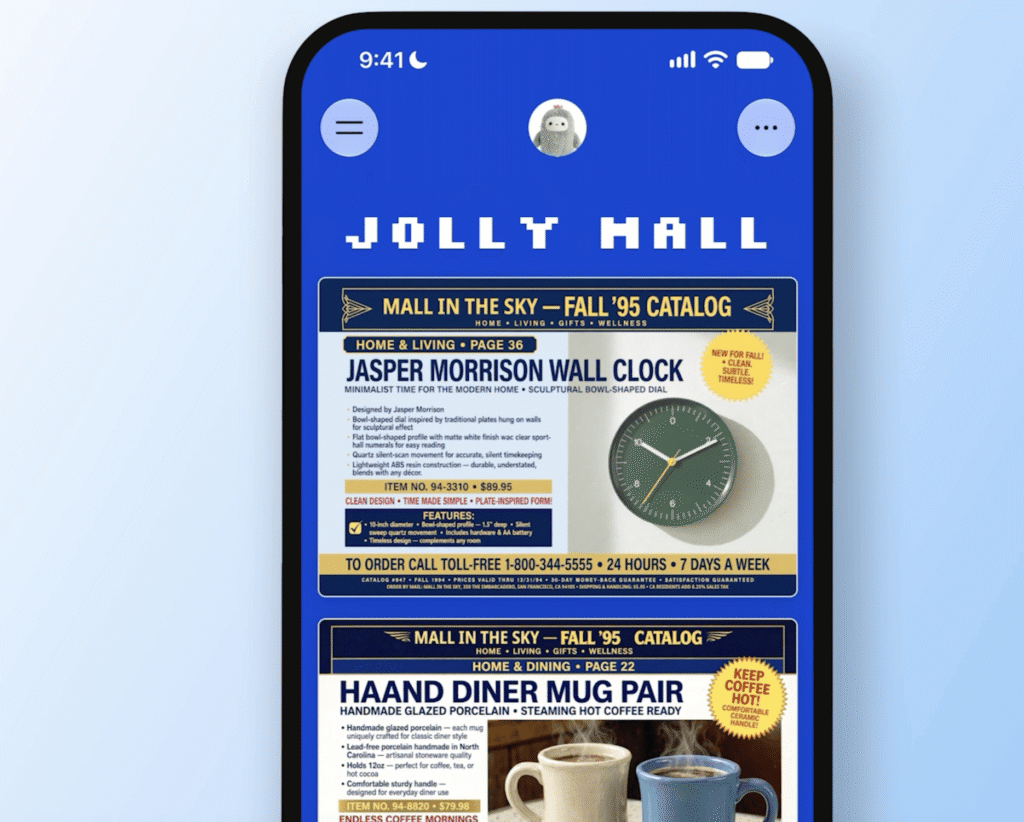
If you have spent any time staring at a blank terminal, trying to wire together yet another custom dashboard for a weekend project, you know the fatigue of boilerplate setup. Lately, the AI tools update cycle moves so fast that keeping track of wrapper apps feels like a part-time job. But every so often, a feature drops that actually changes how we handle lightweight utility tasks. Meta is making a strong play for your daily sidebar attention with a new feature called ‘spaces’ inside its Muse AI assistant. Instead of just generating static blocks of text, Muse can now spin up functional, interactive mini-applications on demand.
As a developer and remote worker who is constantly drowning in custom tracking spreadsheets, browser tabs, and half-baked scripts, I wanted to dig into what this actually means under the hood. Does it merit a spot in your daily tech stack, or is it just another ephemeral interface gimmick? Let us break down the architecture, the workflow impact, and how it stacks up against current alternatives.
What Changed Under the Hood of Meta Muse
Historically, conversational LLMs give you a single chat thread. You ask a question, read the output, copy the code or data, and paste it somewhere else. That friction is precisely what Meta is trying to eliminate. With spaces, Muse is no longer just predicting the next token in a linear chat stream; it is structuring stateful UI elements.
When you prompt Muse to build a shopping hub, a school dashboard, or a custom bug tracker, the assistant parses your requirements into a structured layout. It provisions interactive components—checkboxes, sortable lists, note fields, and persistent storage elements—directly inside the app interface. If you need to make adjustments, you do not rewrite your prompt from scratch. You simply chat with Muse to tweak the layout, add new data fields, or modify the underlying logic.
More importantly, Meta has introduced data-binding capabilities. If you connect your space to a relevant external service or app, Muse pulls live updates in the background. Pricing matrices, scheduling dates, and inventory statuses refresh without requiring manual intervention from you. For remote teams dealing with fragmented communication channels, this kind of dynamic interface generation bridges the gap between static documentation and heavy custom software.
Real-World Use Cases for Remote Teams and Builders
Let us talk about practical application. Why would a working developer or remote professional reach for a Meta AI space instead of spinning up a quick Notion page, a Trello board, or a custom React component?
- Ad-Hoc Project Dashboards: Spin up a localized sprint tracker for a two-week contracting gig without forcing your entire team to onboard onto a new enterprise SaaS tool.
- API Integration Sandboxes: Quickly test how well an LLM can parse and display incoming JSON payloads by asking Muse to build a visual tracker for live feeds.
- Personal Knowledge Management: Build a custom music tracker, media backlog, or research repository that you can pin directly to your sidebar for rapid mobile and desktop access.
- Quick Trivia and Internal Tools: Generate lightweight team-building games or calculator utilities for internal chat channels in seconds.
The real advantage here is speed-to-utility. Instead of spending two hours configuring database schemas and routing tables for a minor internal utility, you prompt the system, pin it to your sidebar, and start interacting immediately.
Step-by-Step Workflow Impact
Integrating spaces into your daily routine requires a shift in how you think about task management. Here is what the typical workflow looks like when building a custom utility:
- Prompt Construction: Open Muse and describe the exact layout and data sources you need in plain English. Be specific about constraints and interactive elements.
- Iterative Refinement: Test the generated space. If a column is missing or a calculation is off, talk to Muse to update the schema in real time.
- Connection and Syncing: Link the space to your required apps or data feeds to enable background updates for pricing, deadlines, or status flags.
- Sidebar Pinning: Add the finalized space to your persistent navigation bar for instant access throughout your workday.
How It Compares to Existing Alternatives
Every major tech player is currently pushing some version of agentic workflow automation. OpenAI has GPTs, Anthropic offers Artifacts, and various open-source AI projects give developers granular control over local agent execution. Where does Meta’s approach fit?
| Platform | Primary Strength | Trade-Offs & Friction |
|---|---|---|
| Meta Muse Spaces | Instant sidebar access, background data binding, conversational UI generation | Tethered to Meta’s ecosystem, proprietary backend architecture |
| Anthropic Artifacts | Exceptional code rendering, perfect for web components and technical docs | Lacks native persistent background syncing for live external apps |
| Custom Notion/Airtable | Deep database structures, robust enterprise permission controls | High setup friction, manual configuration required for workflows |
While developer-focused tools like Artifacts shine when you want to export raw code, Meta is clearly targeting everyday productivity and fast utility creation. The ability to maintain persistent background updates via API integration gives it an edge for tracking dynamic information like pricing or schedules.
Compute Realities and Future Outlook
Of course, we have to look at the underlying trade-offs. Running stateful, dynamically updated AI interfaces requires significant compute overhead. While Meta handles the heavy lifting on their server side, users should keep latency and rate limits in mind as these features roll out more broadly. If you are relying on a space to track critical production metrics, you will still want robust logging and redundant systems in place.
Ultimately, features like Muse spaces point toward a future where software is entirely fluid. Instead of navigating rigid menus and pre-built applications, we will converse with models to provision the exact tool we need for the exact problem in front of us, then throw it away when the task is done. To read the official announcement and dive deeper into the technical specifics, check out the full story at The Verge.